Profiles and lead pipeline
Goals, training history, medical restrictions and injuries, plus a pipeline with status and follow-up context. Bulk import up to 500 rows.
Your own merchant account, payments settling into your own bank, and the leads, workouts and schedule that surround them. No monthly subscription — you pay when your clients pay.
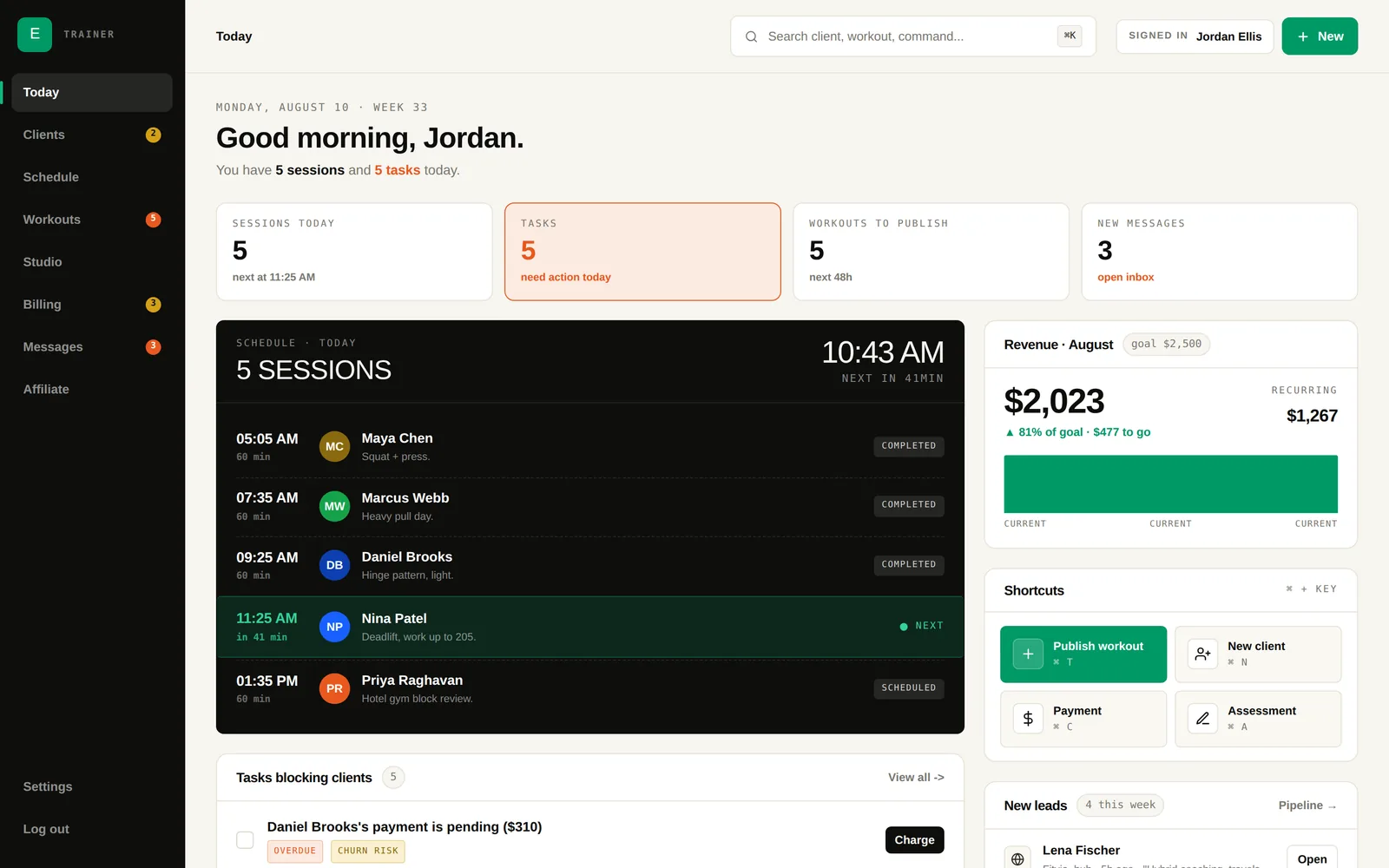
Every feature, including your public Hub profile.
A merchant account in your name. Fitvia never holds the money.
Platform fee, paid by the client at checkout. Nothing else.
Fitvia does not pool your revenue and pay it out later. You get a merchant account in your own business name, and every payment settles from it on the processor's normal schedule.
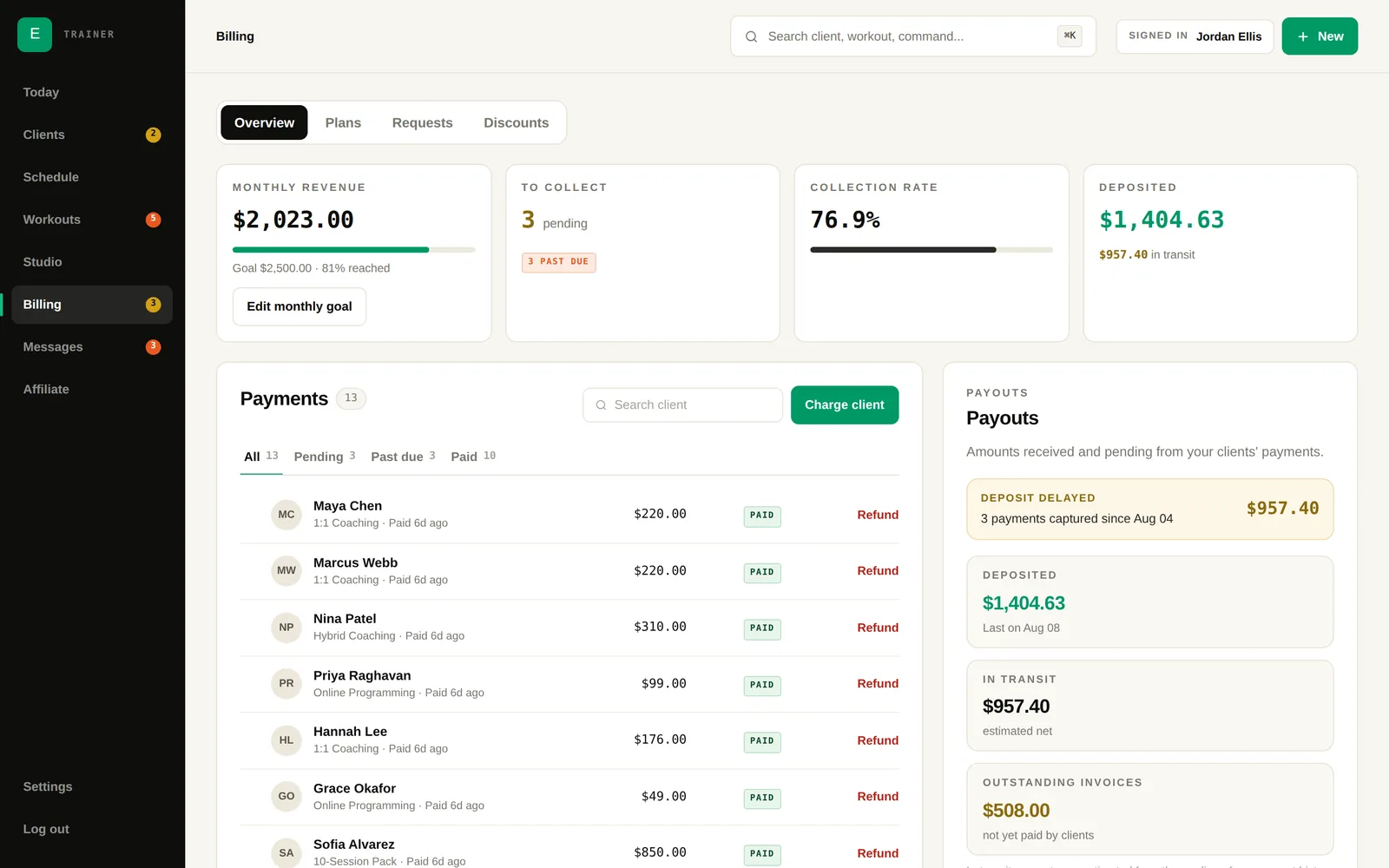
2% platform fee added on top
3.9% + $0.30
Per $100.00 plan
Taking card payments means becoming a merchant, so there is a real application: you certify at least $1,000 per month in expected processing, and your account is reviewed before your first charge. Everything else on Fitvia works while that is in progress.
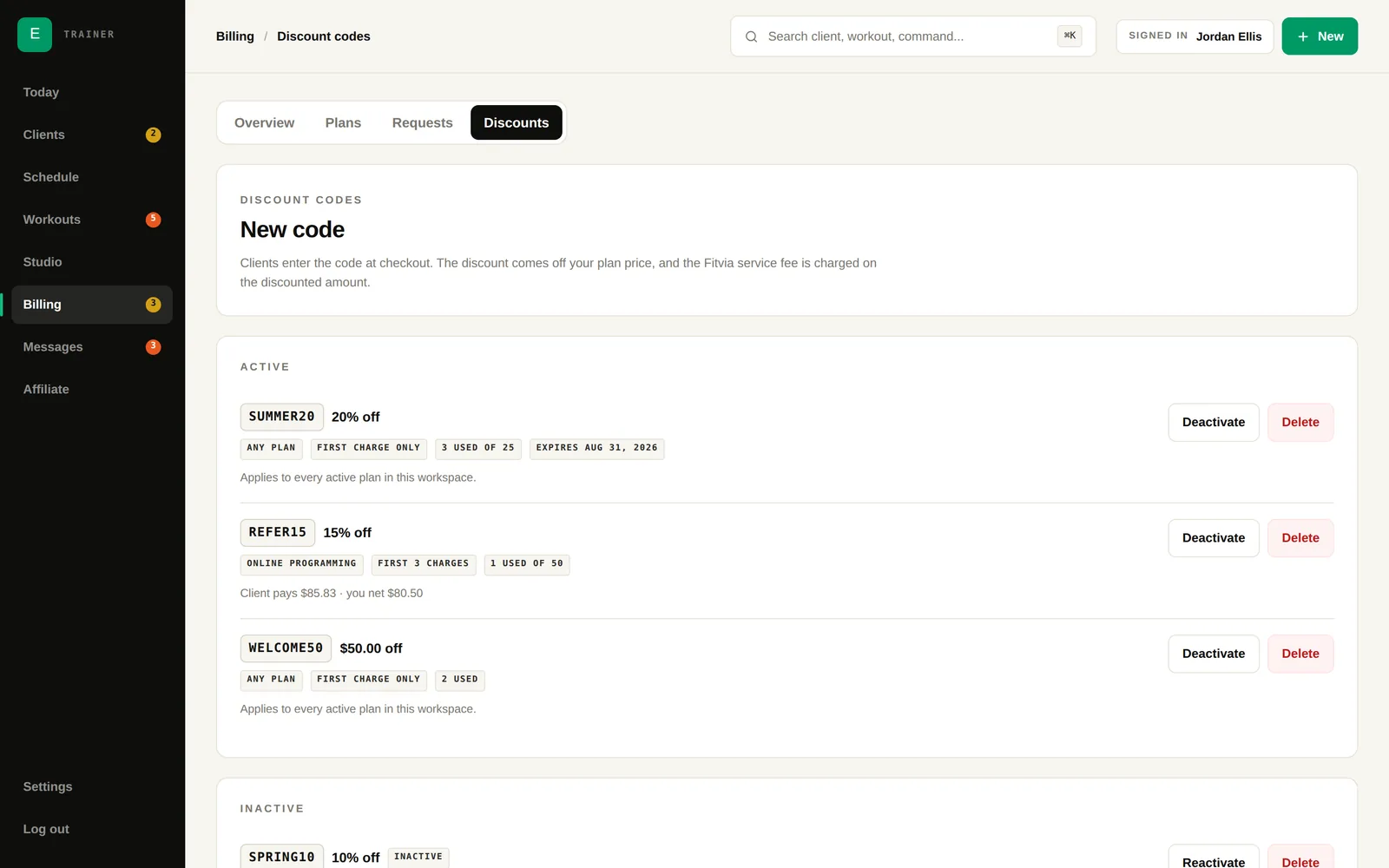
Percentage or flat amount, once or across renewals, with expiry dates, redemption caps and per-client limits. Every code reports what it has actually cost you.
The platform fee is calculated on the discounted price, so a discount costs exactly what it says.
Some trainers want the calendar to run itself, others want eyes on every change. Switch whenever your practice changes.
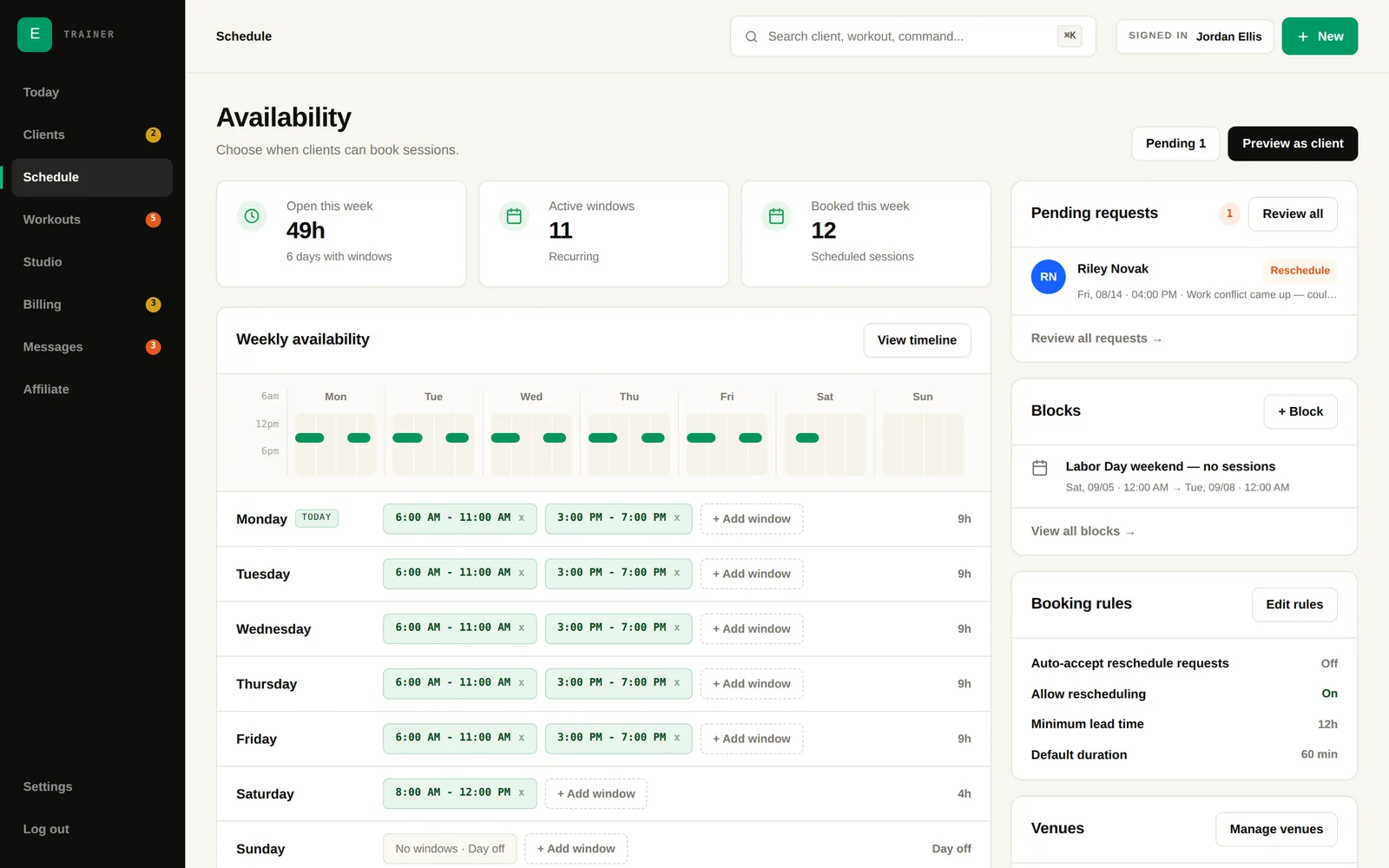
No-shows and cancellations are tracked, a cancelled session returns its credit to the client's pack, and you can charge a reschedule fee — Fitvia records it and leaves the call to you.
See our guide to software for personal trainers.
Goals, training history, medical restrictions and injuries, plus a pipeline with status and follow-up context. Bulk import up to 500 rows.
Build plans and deliver them to the client app, from your own exercise library with demo videos. Generate 12 weeks in one pass.
In-app chat with images, push notifications for sessions and payments, and announcements to everyone at once.
Weight, body fat, waist and benchmark lifts over time, with progress photos clients upload themselves. Metric or imperial, per person.
Recurring memberships billed weekly through yearly, session packs with expiry, and credits returned when a session is cancelled.
A profile page built for search, listed in the Fitvia Hub directory, with a verified credential badge and client reviews you can reply to.
Also included, no tiers
No monthly subscription, no paid tiers, no add-ons. You pay only when a client pays you. See the full fee breakdown.
Added on top of your price at checkout — the client pays it, not you.
Standard card processing, taken from the payout.
Clients, workouts, scheduling, messaging, and your public Hub profile.
A $100.00 plan → client pays $102.00 → you keep $95.72.
Yes, and Fitvia sets you up with one. You apply through a hosted form, your gateway credentials arrive automatically, and payments settle from your merchant account into your own bank.
The client does. The 2% fee is added on top of your price at checkout, so your list price is what your side of the transaction is based on.
No. Every feature, including your public Fitvia Hub profile, is free to use. You only pay processing fees when a client actually pays you.
Yes. Reschedule requests can require approval or be auto-accepted, and new plan purchases can activate immediately or wait in a queue for you.
Yes. Percentage or flat amount, once or across renewals, with expiry dates, redemption caps and per-client limits — and a report of what each promotion cost.
There is an iPhone app for you and your clients, including an Apple Watch companion for workouts. Android is not out yet — you can join the waitlist.
Set up your account today, add your first client, and turn on payments when you are ready. Nothing is locked behind a plan, and nothing is charged until a client pays you.